
Brand touches everything. Your website, your app, your onboarding — and especially your rewards.
If a cardholder opens your rewards experience and it looks underwhelming, they’re not thinking “the rewards UI needs work.” They’re thinking, “Maybe this card isn’t as good as I thought.”
When rewards feel like an afterthought, your brand does too. Problem is, creating and maintaining a polished, branded rewards experience is a big undertaking.
For most engineers of our partners, setting up backend operations like user enrollment and transaction ingestion is straightforward. It’s the offer discovery flows, offer search, map interfaces, and responsive layouts that are hard because they require significant UX and design investment. And with every new opportunity Kard offers to improve the experience comes another sprint.
That’s why we launched WebView: a turnkey rewards experience solution that lets you ship a fully baked offers UI (and keep it current) without building the frontend yourself.
What’s WebView?
WebView is a Kard-hosted rewards frontend experience you embed directly in your app.
It comes with everything cardholders need to find and use rewards out of the box:
- Offer browsing and discovery
- Offer search
- Offer categories
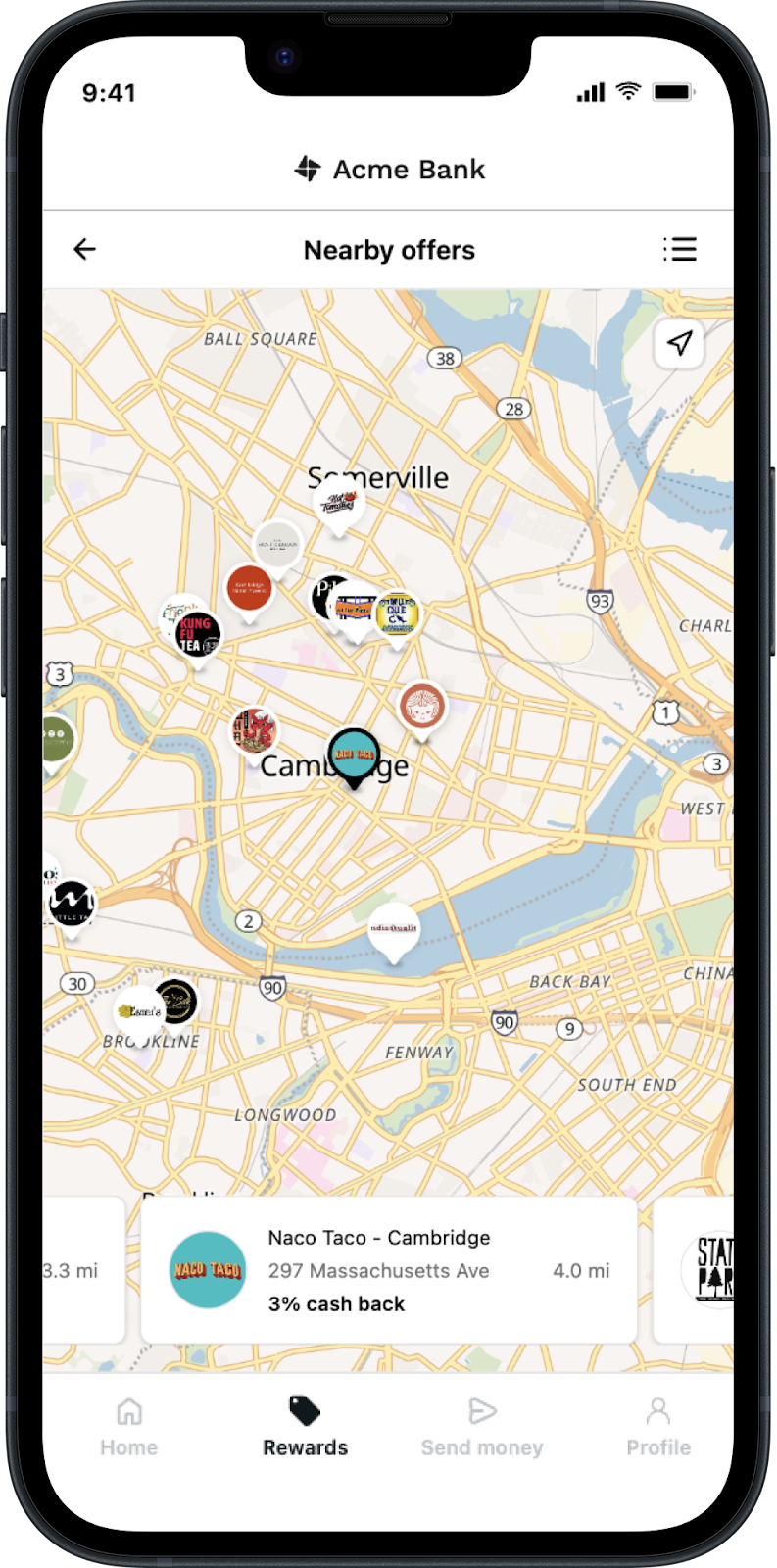
- Nearby offers
- Map-based exploration
Plus easy access to our newest dynamic offer formats. Check out our next post coming out in a few weeks for more detail.
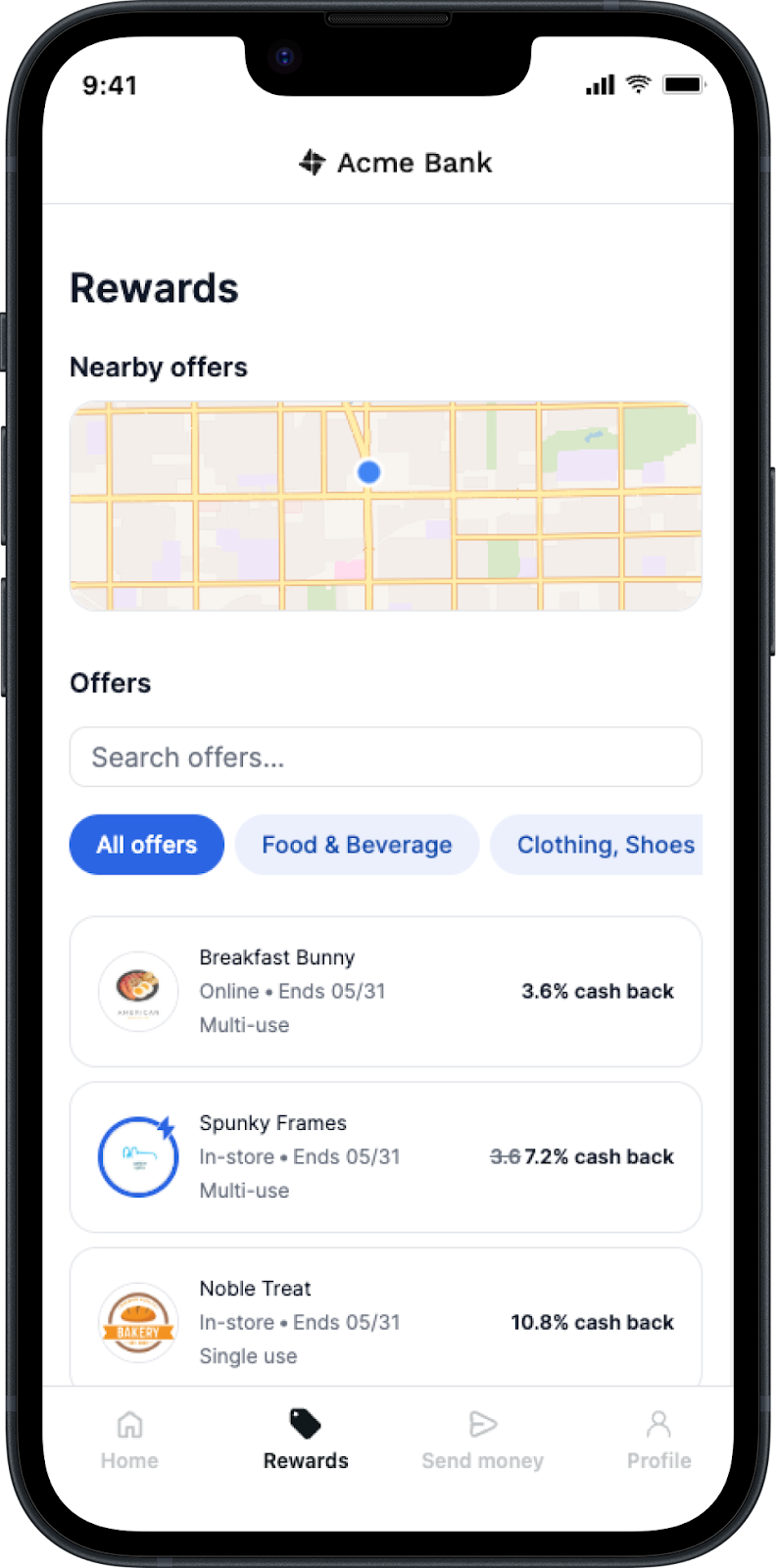
It runs in native mobile apps (via WebView components on iOS, Android, and React Native) and in web products via iframe.
Why use WebView?
Great user experience
WebView is built to feel fast and intuitive with a responsive design tailored to the specific device a cardholder is using, whether it be their phone, a tablet, or their desktop.
The offers most relevant to them are presented first, with benefits and calls to action front and center so cardholders know exactly what they’re getting (a % or $ cash back offer) and how to claim it.
They can also filter by category or search for specific offers they want to use. And the map view makes it easy to find local offers near them at a glance.
Easy setup
On the auth side, you generate a JWT that identifies your issuer and the current user. Pass it in, and you’re live.
We even have SDKs that handle token generation if you don’t want to handle that yourself.
For maps and nearby offers, WebView requests location via a simple message-passing contract. Your app passes the coordinates, and WebView takes it from there. No rendering logic or layout system to wrangle.
Limited maintenance
Kard is constantly releasing new offer types, new features, new engagement mechanics designed to drive more cardholder activity — and, in turn, boost lifetime value.
Without WebView, taking advantage of each one means balancing rewards enhancements against everything else on your app roadmap.
With WebView, you get every new update automatically. Recent releases include:
- Better map search UX with empty-state guidance when no offers are nearby
- Responsive layout improvements and fit-to-container behavior
- Copy customization options based on issuer feedback
You’re in control
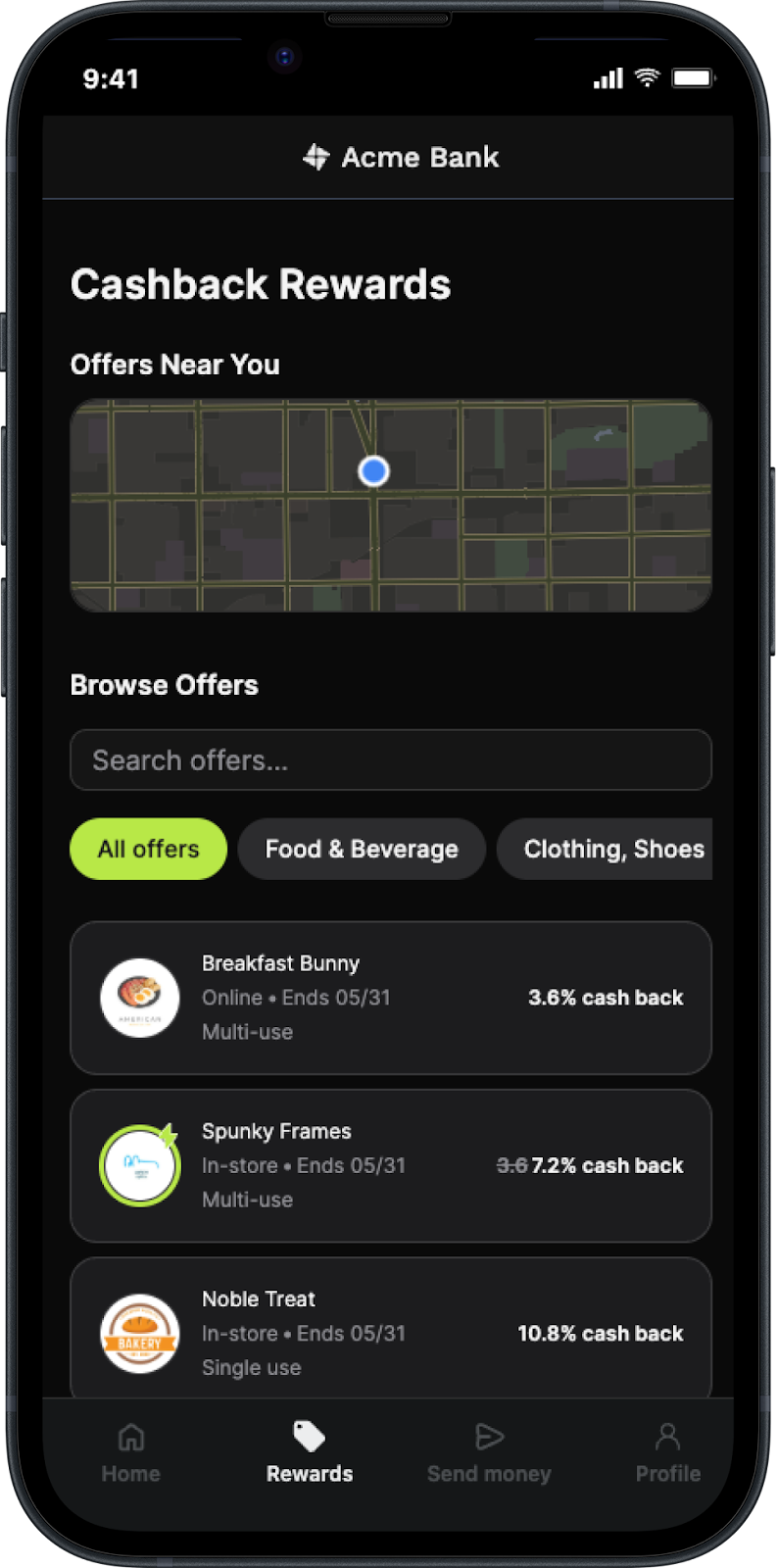
WebView supports theme tokens for brand colors, typography, and styling, giving you control over how the experience looks and feels. Key headings are customizable, too, so you can uphold your brand’s voice and its visual identity.
On the layout side, WebView inherits the width of its container, adapting naturally to your app shell, web layout, or iframe. This makes it simple to integrate WebView into existing UI surfaces without forcing a rigid layout.
Plus, WebView and the Kard API aren’t mutually exclusive. So if you want to build something custom, you definitely can.
For instance, some partners might use:
- WebView for standard rewards surfaces to deploy fast and stay current
- The API for custom integrations or surfaces for localization (e.g., for Spanish-speaking users)
- Individual components (such as map-based discovery) as needed
Get started with WebView
Want to ship a best-in-class offers experience quickly, minimize design decisions, and eliminate ongoing maintenance?
Check out our WebView demo, explore our docs, or reach out to the Kard team to talk through options specific to your stack.


